


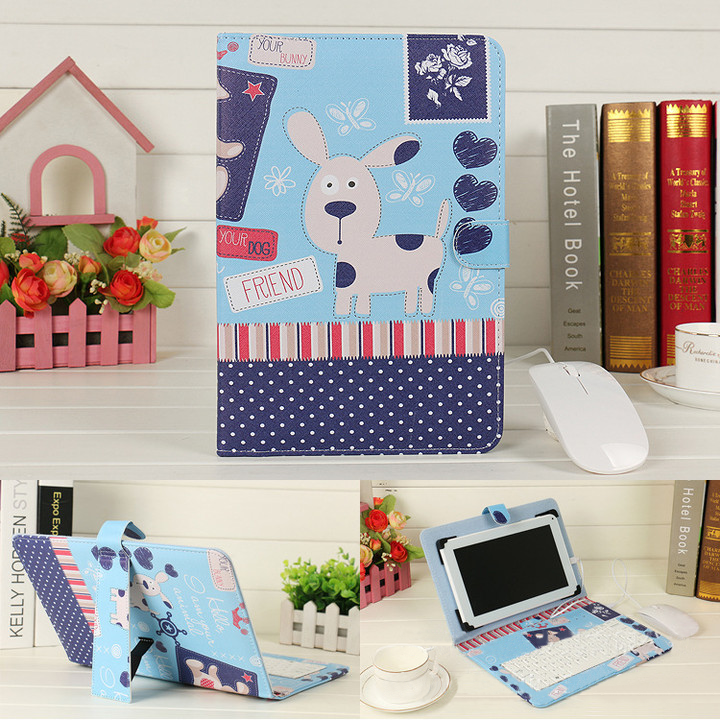
Wireless Keyboard Case Protective Cover
Wireless Keyboard Case Protective Cover
Couldn't load pickup availability
Description
Description
Overview:
Applicable models: all systems with Bluetooth function mobile phones. Tablets are applicable regardless of screen size.
Instructions for use:
Step 1: Turn on the ON/OFF button
Step 2: Press the CONNECT button, and the indicator light of the Bluetooth logo will flash
Step 3: Turn on the Bluetooth switch of the phone at this time, search for Bluetooth devices, the default name of the keyboard case is Bluetooth 3.0 Keyboard
Step 4: Click the Bluetooth 3.0 Keyboard on the tablet or mobile phone, there will be a four-digit password with Arabic numerals, enter it on the keyboard, for example, the tablet prompts 1234, after pressing on the keyboard, press Enter to connect.
Specification:
Phone keyboard holster: Outside: 225MM X width: 140MM X thickness: 25MM. Ratio 16:9
Package Content:
Case 1pc +keyboard1pc a set
Shipping Policy
Shipping Policy
Supplier processing times vary by product and supplier. Available shipping methods, costs, and delivery estimates depend on the item and destination and are shown at checkout. Items from different suppliers may arrive separately.
Refund Policy
Refund Policy
You have 30 days from the date you receive your order to request a return.
To be eligible for a return, items must be:
Unused, in the same condition as received.
In the original packaging with all accessories, manuals, and tags included.


